Product Card
Product image, name, price, an optional badge and an add-to-cart button, built from Card.
New in
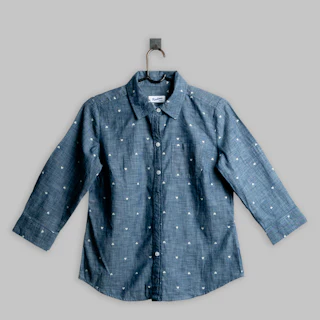
New
$48.00
Add to cart
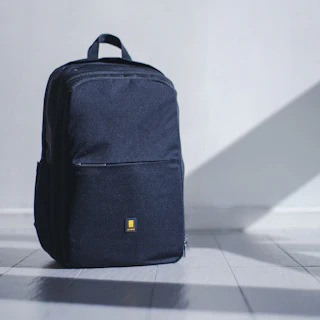
$72.00
Add to cart
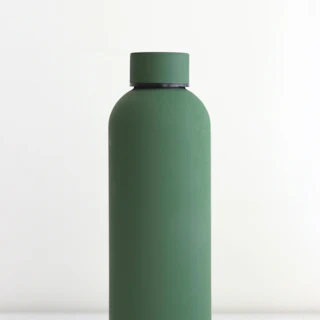
-20%
$25.60
Add to cart
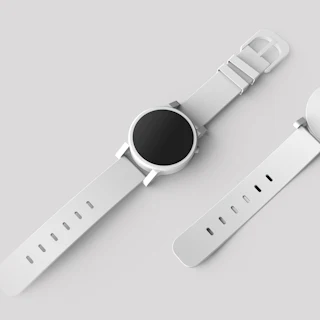
$199.00
Add to cart
Featured
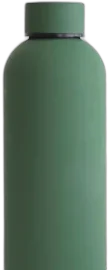
-20%
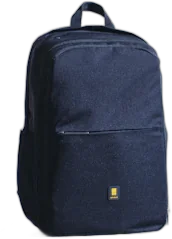
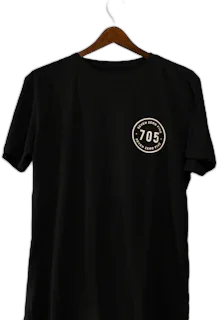
New
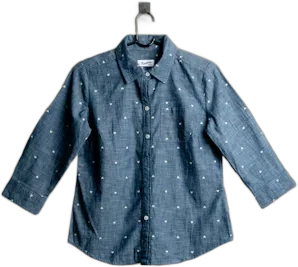
The two variants are separate components with their own code: install the one you need. Default is an outlined card with the image edge to edge and the price under the name. Spotlight is a filled card where a cut-out product floats on the card’s background, price first.
Installation
npx axiom add product-cardpnpm dlx axiom add product-cardyarn dlx axiom add product-cardbun x axiom add product-cardAlso copies: card, text, badge, button and their dependencies. The file lands in components/compositions/product-card.tsx.
Product Card brings no tokens of its own: it uses the outlined variant of Card, the highlight variant of Badge and the default Button.
npx axiom add product-card-spotlightpnpm dlx axiom add product-card-spotlightyarn dlx axiom add product-card-spotlightbun x axiom add product-card-spotlightAlso copies: card, text, title, badge, button and their dependencies. The file lands in components/compositions/product-card-spotlight.tsx.
It brings no tokens of its own: it uses the filled variant of Card, the headingSm variant of Title for the price, the highlight variant of Badge and the default Button.
Usage
import { Image } from "react-native";
import { ProductCard } from "@/components/compositions/product-card";

<ProductCard
	title="Chambray shirt"
	subtitle="Indigo, 3 colors"
	price="$48.00"
	badge="New"
	media={<Image source={{ uri: product.image }} style={{ width: "100%", flex: 1 }} />}
	style={{ width: 240 }}
	onPress={() => router.push(`/products/${product.id}`)}
	onAction={() => cart.add(product.id)}
/>;
import { Image } from "react-native";
import { ProductCardSpotlight } from "@/components/compositions/product-card-spotlight";
<ProductCardSpotlight
title="Steel bottle"
subtitle="Sage, 500 ml"
price="$25.60"
badge="-20%"
media={
<Image
source={{ uri: product.cutout }}
resizeMode="contain"
style={{ width: "100%", height: "100%" }}
/>
}
onPress={() => router.push(`/products/${product.id}`)}
/>;Use cut-out images (transparent background) with resizeMode="contain": a photo with its own background would fill the inset and lose the effect.
price is a string: format it yourself, currency included, so the card doesn’t decide how your app shows money.
Props
| Prop | Type | Default | Description |
|---|---|---|---|
title | string | — | Product name, shown as the card title. |
price | string | — | Already formatted, currency included: "$24.00". Shown in semibold under the title. |
subtitle | string | — | Secondary line under the title: a color, a size, a brand. |
badge | string | — | Short label in a highlight Badge: "New", "-20%". Sits on the media, or above the title without media. |
media | ReactNode | — | Usually an Image with width: "100%" and flex: 1. With media the card is 3:4: the text keeps its height, the image fills the rest. |
actionLabel | string | "Add to cart" | Label of the action button. |
onAction | () => void | — | Shows the full-width action button and handles its press. Without it, there is no button. |
onPress | () => void | — | Makes the whole card pressable, to open the product. The button keeps its own press. The card is read as “title, price”. |
style | StyleProp<ViewStyle> | — | Extra styles for the card container, for example a width in a grid. |
| Prop | Type | Default | Description |
|---|---|---|---|
title | string | — | Product name, on one line under the price. |
price | string | — | Already formatted, currency included: "$24.00". Shown first, as a headingSm Title. |
subtitle | string | — | Secondary line under the name: a color, a size. |
badge | string | — | Short label in a highlight Badge, on the product: "New", "-20%". |
media | ReactNode | — | Required. A cut-out Image with resizeMode="contain", inset from the card’s edges, in a square. Style it width: "100%" and height: "100%". |
actionLabel | string | "Add to cart" | Label of the action button. |
onAction | () => void | — | Shows the full-width action button and handles its press. Without it, there is no button. |
onPress | () => void | — | Makes the whole card pressable, to open the product. The button keeps its own press. The card is read as “title, price”. |
style | StyleProp<ViewStyle> | — | Extra styles for the card container, for example a width in a grid. |
Built with
- Card: the surface (
outlined,filledfor Spotlight), its header, title and description. - Badge: the
highlightlabel. - Button: the full-width action.
- Text: the price, and the name in Spotlight.
- Title: the price in Spotlight.
Used in
No block uses Product Card yet. It is meant for the product grids of the planned Commerce blocks.