Compositions
Recipe Card
Recipe photo, name, time, servings and difficulty, ingredient chips and a cook button.
Tonight
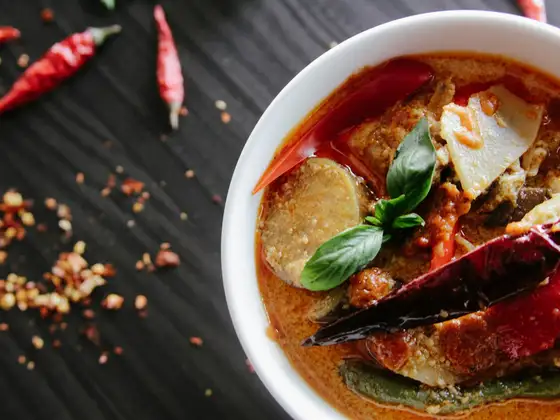 Spicy choice
Thai red curryA fragrant, spicy curry with coconut milk, lemongrass and fresh Thai basil.
20 mins4 servingsMedium
Coconut milkBasil+8
Start cooking
Weeknight red curryThe same curry with pantry staples, ready in half the time.
12 mins2 servingsEasy
Coconut milkCurry paste+2
Start cooking
Recipe Card is designed for a vertical feed: each card takes the full width of the list, one recipe per row. There is no width to set.
Installation
npx axiom add recipe-cardpnpm dlx axiom add recipe-cardyarn dlx axiom add recipe-cardbun x axiom add recipe-cardAlso copies: card, chip, badge, separator, icon, text, button and their dependencies. The file lands in components/compositions/recipe-card.tsx. It brings no tokens of its own.
The stat icons come from your icon registry. Add the ones you use to icons.tsx, for example with expo-symbols:
timer: symbol("clock", "schedule"),
servings: symbol("person.2", "group"),
difficulty: symbol("flame", "local_fire_department"),
Usage
import { RecipeCard } from "@/components/compositions/recipe-card";

<RecipeCard
	title="Thai red curry"
	description="A fragrant, spicy curry with coconut milk, lemongrass and fresh Thai basil."
	image={{ uri: recipe.photo }}
	badge="Spicy choice"
	stats={[
		{ icon: "timer", value: "20", label: "mins" },
		{ icon: "servings", value: "4", label: "servings" },
		{ icon: "difficulty", value: "Medium" },
	]}
	ingredients={recipe.ingredients}
	onPress={() => router.push(`/recipes/${recipe.id}`)}
	onAction={() => router.push(`/recipes/${recipe.id}/cook`)}
/>;
Props
| Prop | Type | Default | Description |
|---|---|---|---|
title | string | — | Name of the recipe, shown as the card title. |
description | string | — | Up to two lines under the title. |
image | ImageSourcePropType | — | The dish, in 4:3 at the top of the card. |
badge | string | — | Short label in a highlight Badge, on the photo: "Spicy", "Quick". |
stats | RecipeStat[] | — | { icon?, value, label? }: time, servings, difficulty. Shown as “20 mins”, between lines. Three fit. |
ingredients | string[] | — | Shown as filled Chips. The first SHOWN_INGREDIENTS (2, a constant in the file) show; the rest are counted in a “+n” chip, read as “n more ingredients”. |
actionLabel | string | "Start cooking" | Label of the action button. |
onAction | () => void | — | Shows the full-width button. Without it, there is no button. |
onPress | () => void | — | Makes the whole card pressable, to open the recipe. The button keeps its own press. |
style | StyleProp<ViewStyle> | — | Extra styles for the card container, for example a margin. |
Built with
- Card: the elevated surface, its media, header and title.
- Chip: the ingredients,
filledandsm. - Badge: the
highlightlabel. - Separator: the lines around and between the stats.
- Icon: the stat icons, from your registry.
- Button: the full-width action.
- Text: the description and the stats.
Used in
No block uses Recipe Card yet.